

Dex Camera Review: Is This Language-Learning Toy Actually Worth It? I Tried It To Find Out
Disclosure: Dex provided us with this camera to try. As always, all opinions and tiny-child product-testing chaos are our own.
Our son had just turned four when we introduced the Dex Language-Discovery Camera, and this is one of the first genuinely tech-enabled toys we’ve handed over to him. He doesn’t watch TV regularly, play on a tablet, or know that some children are capable of operating an iPhone more efficiently than their grandparents.
So when I heard about the Dex Language-Discovery Camera, I thought, this seems like tech use done right. It’s not passive like watching YouTube, and it can actually teach children how to learn a language. It seemed a nice advancement from my days of utilizing my electronic dictionary in Taiwan, and that thing saved me.
Here’s how it works: Dex is a language-discovery camera for children ages three to eight. Kids take pictures of objects in their actual environment, and Dex uses AI to identify what it sees and turn it into a short, interactive lesson in the language you’ve selected. It currently supports 16 languages and more than 30 regional dialects. Is it worth buying? Here’s my full review:
What Is the Dex Language-Discovery Camera?
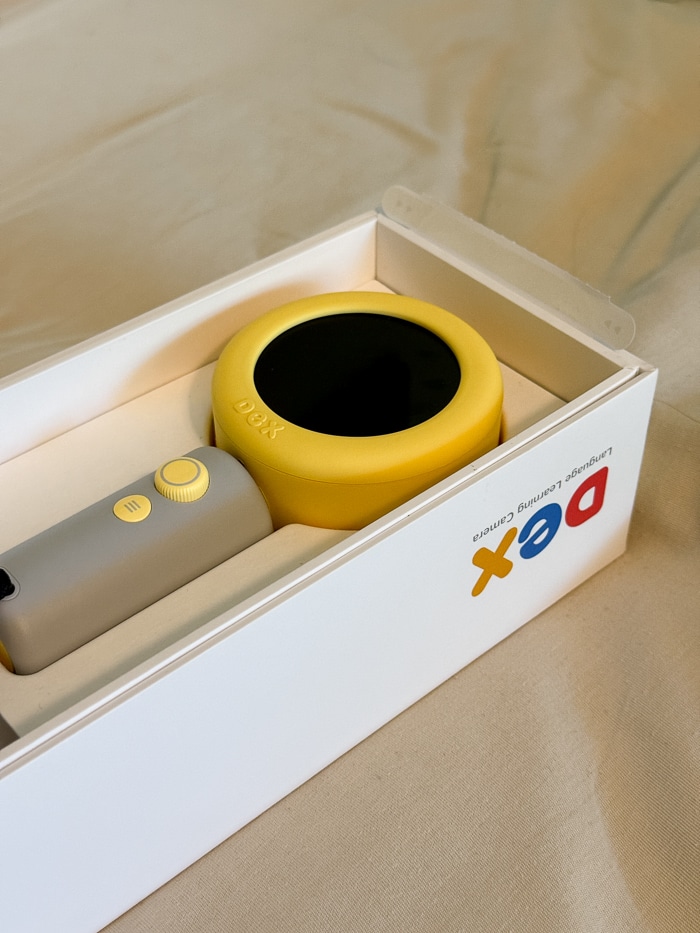
Dex looks a little like a futuristic magnifying glass. It has a camera on one side, a small circular touchscreen on the other and a simple handle with physical controls designed for small hands.
Here’s the basic concept:
- Your child takes a photograph.
- Dex identifies what is in the image.
- It introduces relevant words and information in the target language.
- It prompts your child to listen, repeat words and respond.
There are also interactive stories, activities, automatically generated flashcards and parent-created scavenger hunts. Dex adjusts its responses based on the child’s age and selected proficiency level.
The screen is small, the product is audio-first, and the entire purpose of the camera is to get children looking at, photographing and talking about the physical world around them.
*Use code 10ADDIS for 10% off!
Why Dex Feels Different From Regular Screen Time
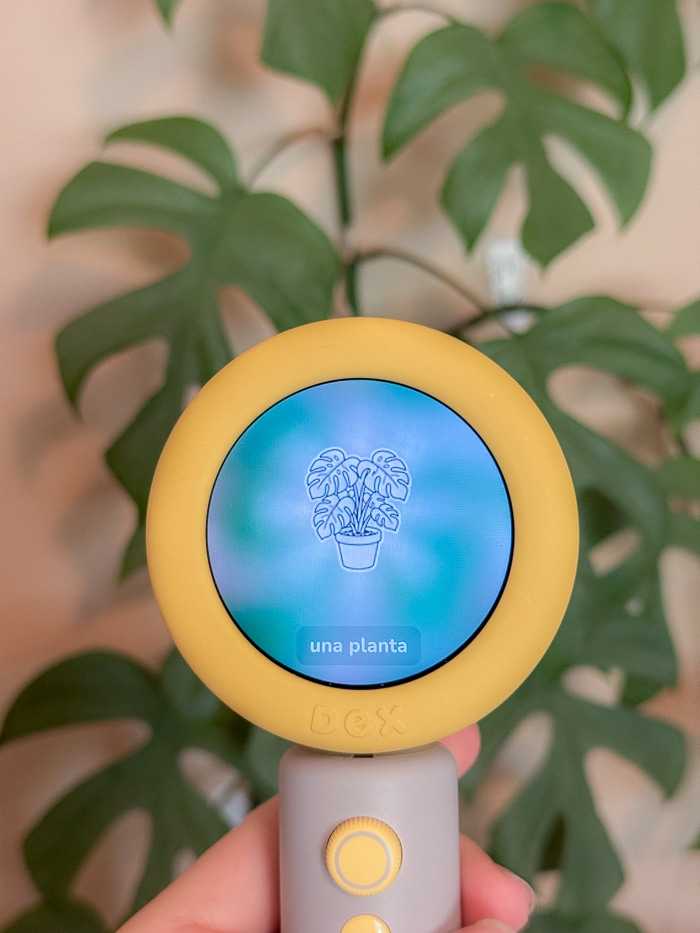
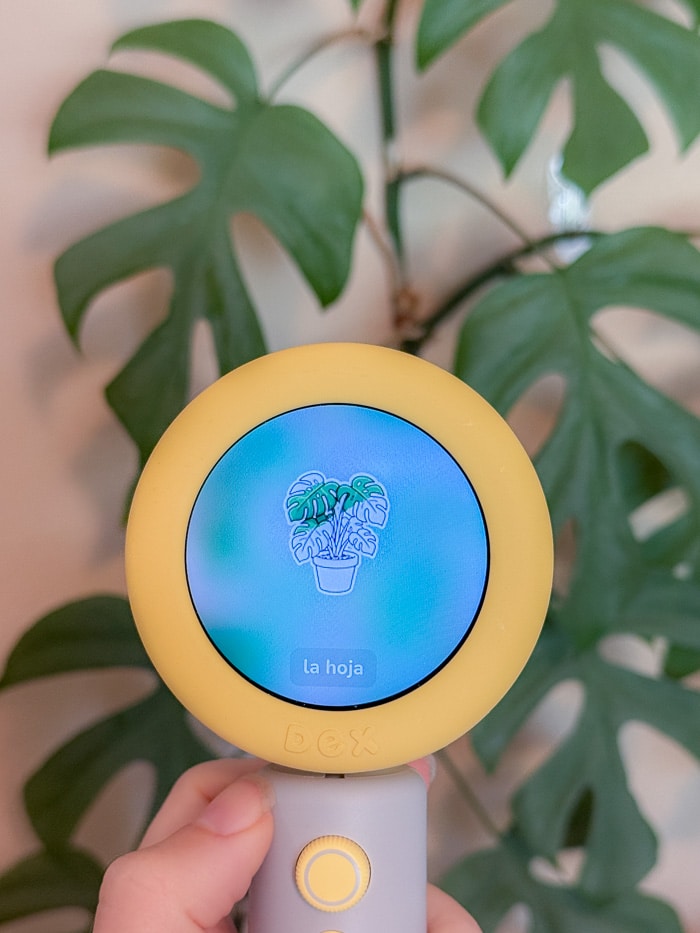
The main problem I have with most children’s technology isn’t merely that a screen exists. It’s the passivity.
When a child watches YouTube or television, the content keeps coming whether the child participates or not. The child doesn’t have to imagine anything, find anything or even move. They can simply sit there while a highly optimized stream of noise and color occupies their attention.
Dex makes our son decide what interests him, walk over to it, frame a photograph, listen to the response and choose whether to interact. The technology supports the activity, but it does not entirely replace the activity.
Dex also does a surprisingly good job of continuing the experience when our son isn’t immediately ready to speak. It doesn’t simply repeat, “Say the word. Say the word. SAY THE WORD,” it keeps talking, adds context or moves the lesson along. Our son often listens quietly at first and then eventually starts repeating the words when he feels ready.
And hearing your four-year-old confidently attempt a new Spanish word is, objectively, extremely cute.
The Image Recognition Is What Impressed Me Most
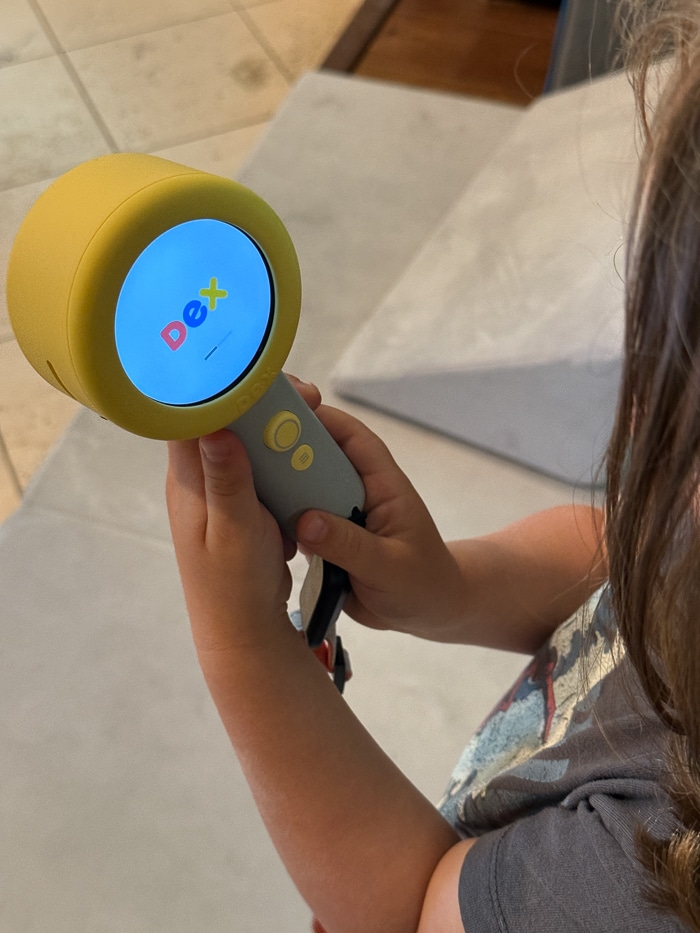
Before trying Dex, I assumed it would recognize broad categories:
“That is a book.”
“That is food.”
“That is a toy.”
Which is useful, perhaps, but not exactly a technological miracle. Instead, its image recognition was considerably more detailed than I expected.
When our son photographed a book, Dex did not merely announce that it had located a book. It noticed and discussed the ant, bee and rainbow pictured on the cover.
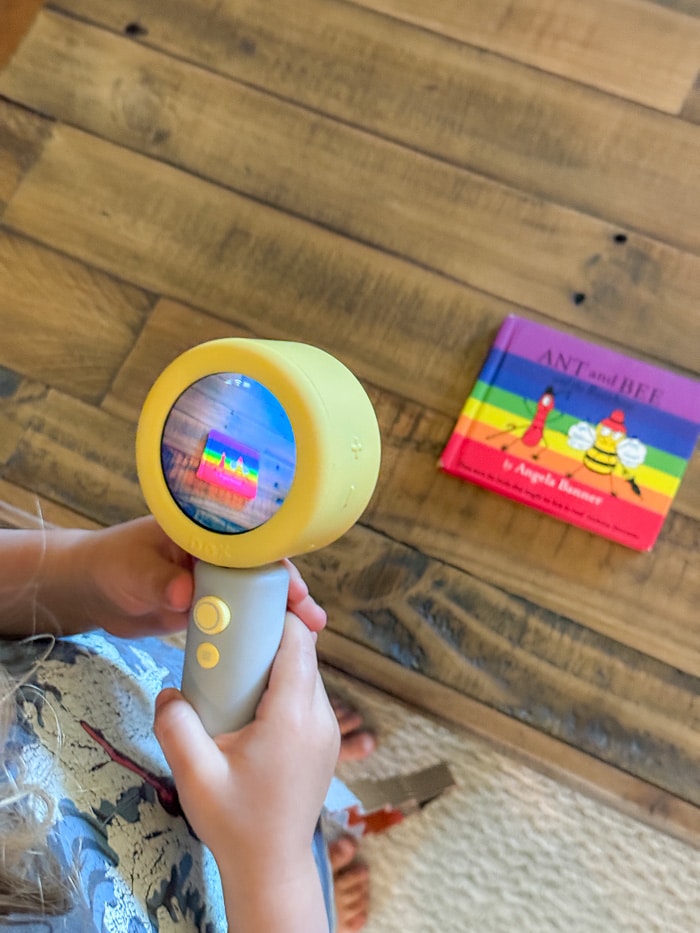
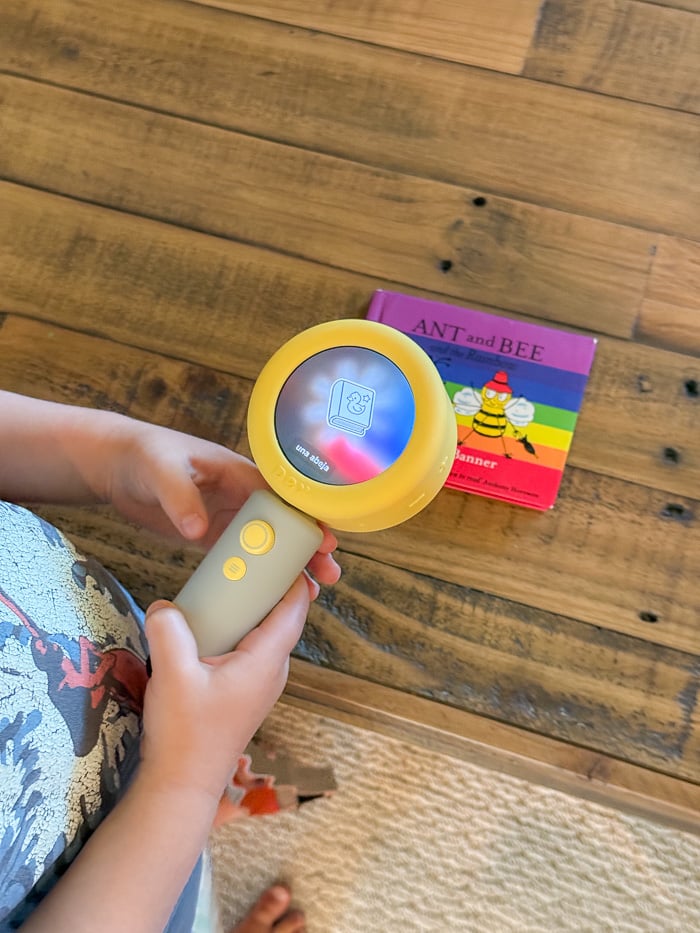
When he photographed his lunch, Dex recognized it as a pasta salad and correctly identified the individual ingredients. It then taught him how to say those ingredients in his selected language.
Dex says that photographing the same object repeatedly can produce different layers of information, including its color, shape, function or an associated story.
We haven’t tested every possible object—and AI image recognition will inevitably get something wrong eventually—but so far, it has been impressively accurate.
Languages, Accents and Regional Dialects
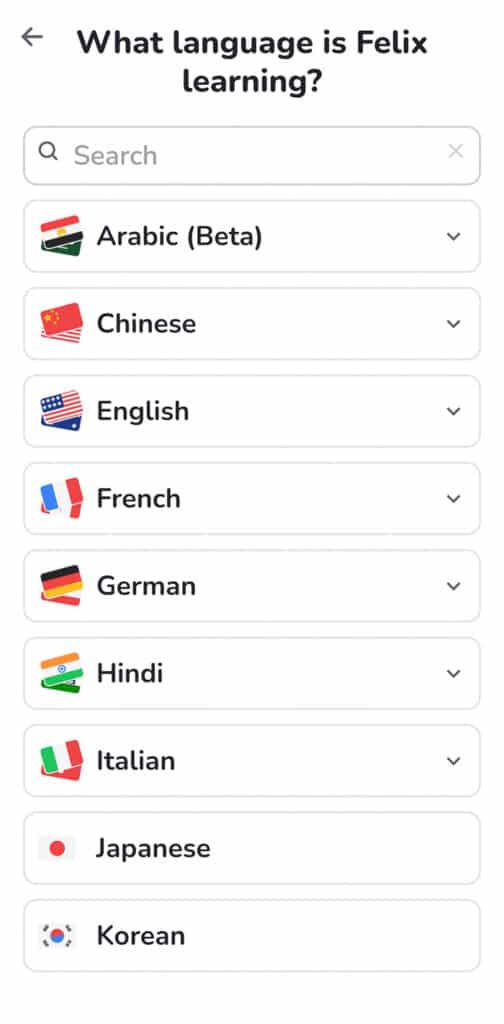
One of Dex’s strongest features is that you aren’t limited to selecting a broad language and accepting whichever accent the product happens to use.
Dex currently offers 16 languages:
- Spanish
- English
- Mandarin
- Arabic
- Korean
- Hindi
- French
- Russian
- Japanese
- German
- Italian
- Cantonese
- Polish
- Ukrainian
- Vietnamese
- Portuguese
Within many of those languages, parents can select regional versions.
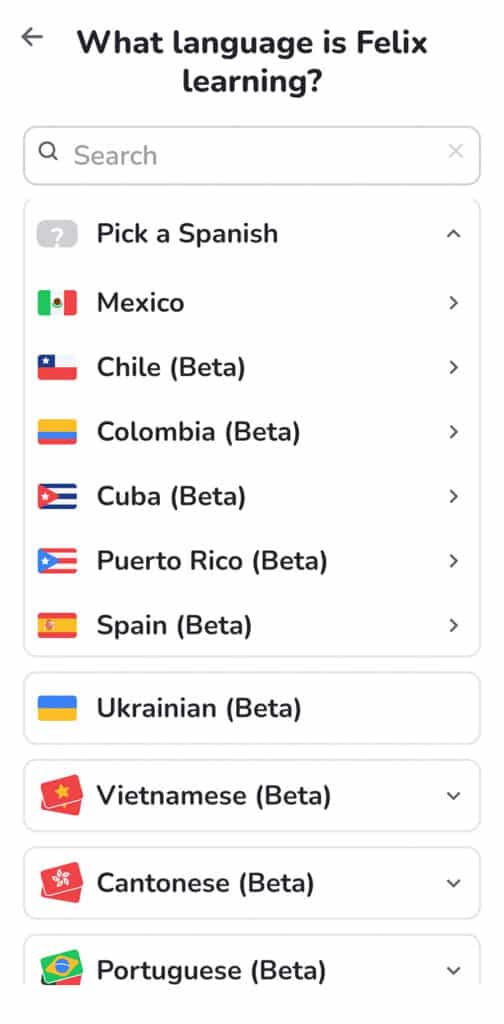
For Spanish, for example, the current choices include Mexico, Spain, Chile, Colombia, Cuba and Puerto Rico, although several are still labeled as beta. Mandarin options include Mainland China, Taiwan (which excited me because that’s where I learned Mandarin, and if we decide to switch from Spanish to Mandarin for my son, I’d love for it to be the accent I’m familiar with), Malaysia and Singapore. French includes France, Canada and Haiti.
This is more important than it may initially sound. “Spanish” is not one universally identical language experience, particularly if your goal is helping a child communicate with relatives or preparing them for travel or school in a specific region.
You can also choose a beginner, intermediate or advanced proficiency level. At the advanced setting, Dex communicates entirely in the selected language. Only one target language can be active at a time, although parents can change it in the settings.
What Parents Can Control Through the App
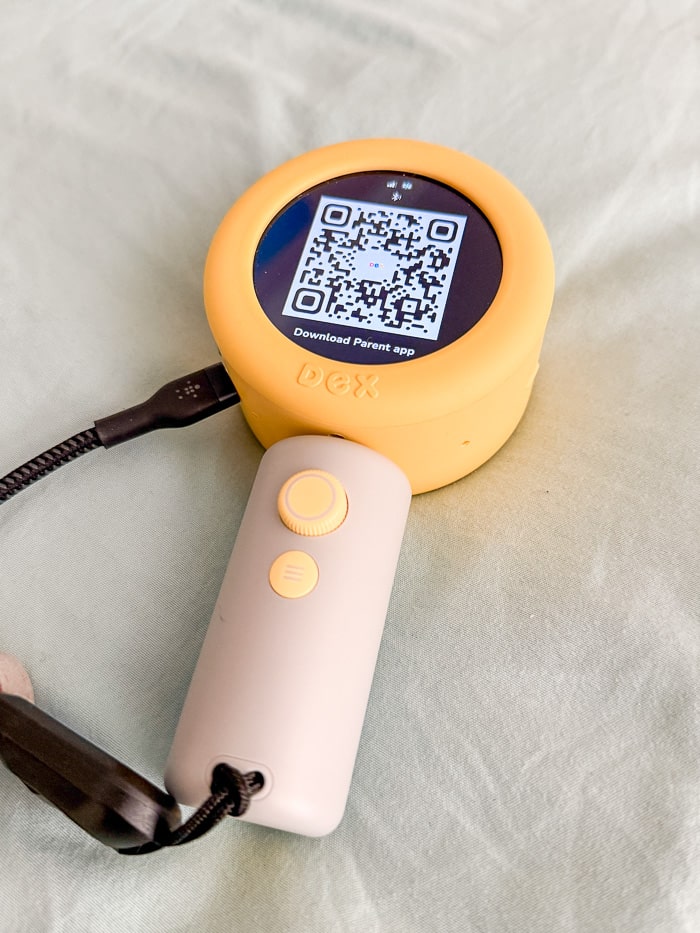
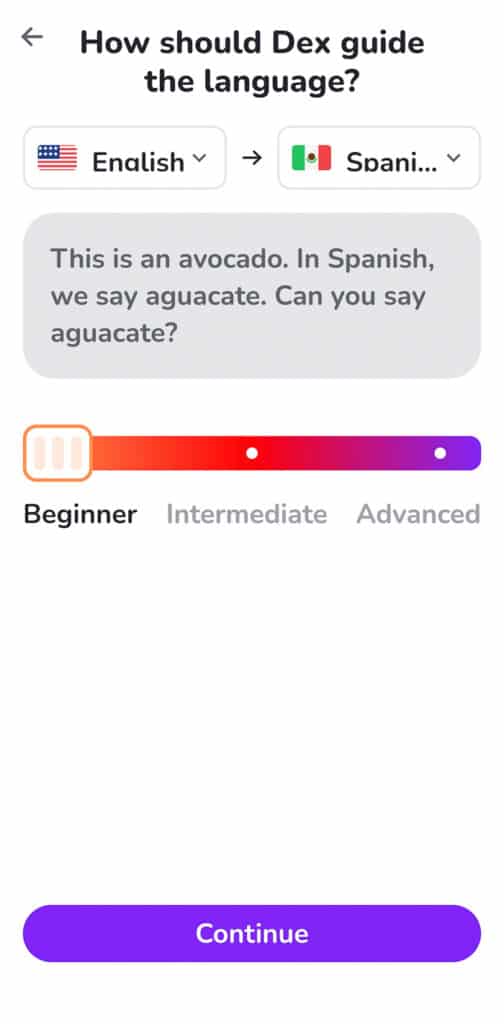
Dex connects to a companion parent app.
From the app, parents can manage language preferences, proficiency level, privacy settings and content controls. Parents can also view what their child has photographed, which words they have encountered and which activities they have completed.
You can create custom activities and scavenger hunts as well. For example, you could create a hunt around a museum, a park or even the produce section of a grocery store, assuming you enjoy voluntarily making grocery shopping with a preschooler more elaborate.
The app is useful, although it appears to be one of the less polished parts of the Dex ecosystem. One App Store reviewer who owned two cameras said her children remained engaged with the photography and stories but found the app unintuitive and wanted better separation between multiple children’s profiles.
That hasn’t been a major issue for us with one child using it, but it is worth knowing if you have siblings at different ages or proficiency levels.
Will Dex Make a Child Fluent?
A camera, app, television program or weekly class is unlikely to make a child fluent by itself. Children need substantial, repeated exposure to a language and, ideally, real conversations with human speakers.
Dex is better viewed as a tool for:
- Introducing and reinforcing vocabulary
- Making a second language feel playful
- Encouraging children to speak rather than only listen
- Supporting bilingual or multilingual households
- Giving nonfluent parents a way to offer more language exposure
- Connecting words to objects children encounter in real life
It can be a useful part of language learning. It is not a tiny electronic replacement for a bilingual caregiver, immersion school or regular human interaction.
Does Dex Require Wi-Fi or a Subscription?
Dex connects through Wi-Fi and also contains built-in LTE capability for use away from home.
The camera currently costs $299 and includes unlimited use of its primary camera function plus a starter pack of 10 activities. Paid plans provide additional daily content and customizable activities.
The core camera functionality is the part we have found most compelling, and that remains available without an ongoing plan. But buyers should look carefully at which stories, activities, mobile connectivity and customization features require a subscription before purchasing.
Privacy and AI Safety
Because Dex photographs a child’s environment and listens for spoken responses, privacy is not a minor footnote.
Dex states that it is COPPA compliant, does not use children’s information for marketing and follows a zero-data-retention policy for children’s photographs and voice recordings. Parents control any content that is intentionally saved.
The company also says it uses safety filters to block inappropriate content. The company said its filtering system evaluates conversations in real time, but no AI moderation system should be assumed to be infallible.
Is the Dex Camera Worth It?
After our first few days, I think Dex is one of the most thoughtful uses of children’s technology I have encountered. It does not use educational language as decorative frosting on top of what is essentially digital entertainment. The educational interaction is the product.
Our son is moving, choosing, photographing, listening and eventually speaking. Dex makes the real world more interesting rather than asking him to ignore it.
For a family that is serious about introducing or maintaining a second language—and particularly for parents who do not fluently speak the target language—I can see it being genuinely valuable.
In our virtually screen-free home, that makes Dex one of the rare pieces of children’s technology I’m happy to keep around.
Use code 10ADDIS for 10% off!